How I Built the Saynovo Ad Campaign: Prompts, Revisions and Four Formats
The actual AI-assisted production workflow behind Saynovo's Meta creatives, including briefs, agent ownership, product-demo revisions, caption fixes and a free Remotion starter.
Austin Tanner
The most useful part of building the Saynovo advertisement campaign was not finding a magic prompt. It was making the work inspectable: a product claim with a source, a brief with a visible result, a revision with before-and-after frames, and an upload pack with instructions.
This walkthrough explains the process behind the broader creative V3 campaign and the separate flagship video that became Ad 09. Those are connected projects, but they are not the same version history or the same rendering framework.
What you can reproduce: the planning structure, prompts, generic source project and quality-control loop. What this does not prove: that the ads were activated in Meta, produced sales or achieved a particular return on spend.
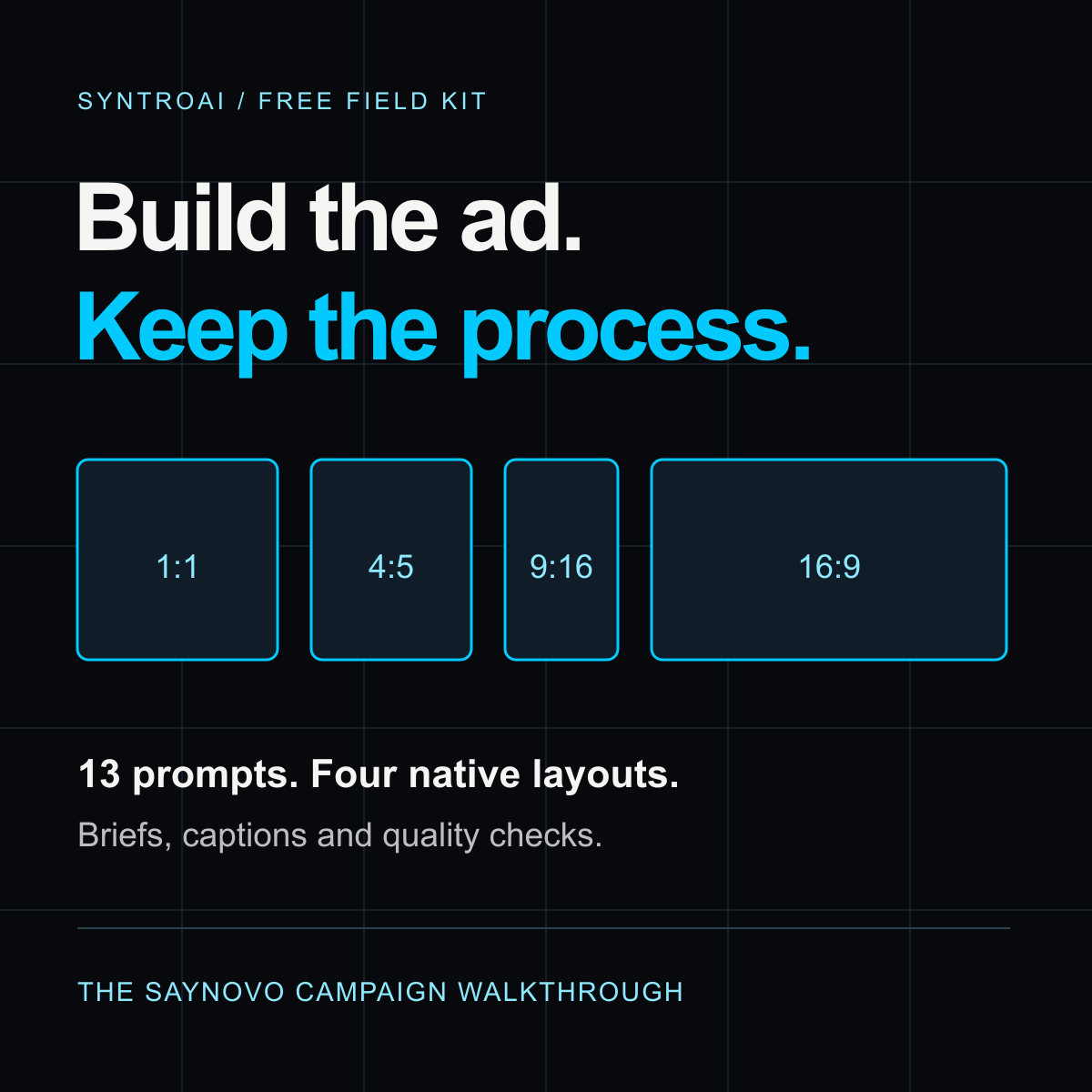
Build your own version. Get the 13 guided prompts, planning templates and four-format Remotion starter used to teach this workflow.
Get the free starter kit1. Start with the product, not an adjective
The initial task was to understand Saynovo, its offer and its audience before recreating the creatives. That research matters because “make an agency-quality ad” does not specify what the product actually does, who should care or what a viewer needs to see.
For the V3 campaign, the selected audience was US roofing owner-operators. The working situation was familiar: the owner already has business information, project photos and referrals, but needs a credible website without taking on another technical project. This is the chosen campaign framing, not a claim about every roofer.
The first artifact should be a claim matrix. Record the proposed promise, source, date, whether it is merely advertised or actually observed, and any qualification. Do not turn a homepage claim into a customer result.
Reusable prompt excerpt:
Build a claim matrix: proposed claim, supporting source, source date,
advertised vs observed status, required qualification, and blocked claims.
If sources disagree, flag the conflict before writing categorical copy.
For your business, begin with one truthful input, one supported action and one visible result. The simplest alternative is an owned screenshot, a clear headline and one CTA. You do not need a multi-agent pipeline for every advertisement.
2. Separate angles, concepts and formats
The three V3 directions approached the same product from different situations: give the next referral a useful destination, start from business information already available, and take a more direct path to a site you can review and maintain.
An angle is a reason to care. A concept is a particular execution of that angle. An aspect ratio is a layout requirement. Exporting the same idea in three sizes does not create three new strategic ideas.
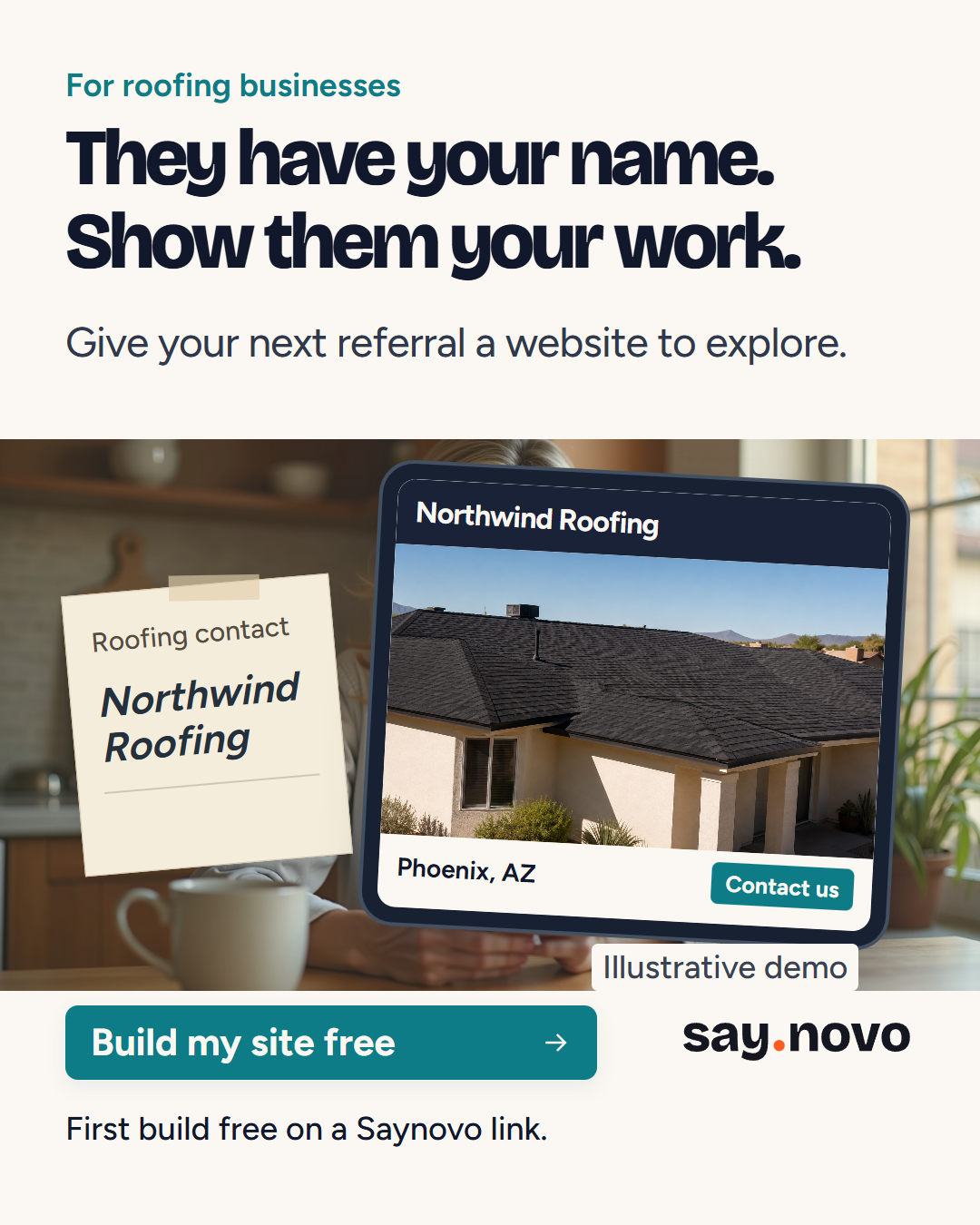
Actual V3 creative. The business and website are illustrative demo material, not customer proof.
3. Write the creative bible, then executable briefs
The creative bible set the shared audience, offer boundaries, typography, colors, demo fixture, CTA and prohibited claims. Individual briefs then defined the specific scenes and checks.
For example, the A2C4 build plan, “The link works,” specified a result-first 20-second sequence:
| Time | Job |
|---|---|
| 0-3 seconds | Show the finished website result |
| 3-7 seconds | Show the gallery |
| 7-11 seconds | Explain publication |
| 11-15 seconds | Hold the completed free-site example |
| 15-20 seconds | Hold the result and CTA |
It also specified a readable qualification, a reconstructed-demo label and verification frames. Those instructions are more actionable than “make it premium.”
4. Give agents ownership before parallelizing
One original request was:
launch sub agents and build out each brief to the new creative v3 have each sub agent plan out the build then execute
The useful pattern is plan first, build second, integrate centrally. Assign each builder its own concept files. Shared claims and brand rules should not be silently changed by every worker.
Reusable prompt excerpt:
Give each builder exclusive ownership of its named output files.
Each builder first writes a build plan with scene design and verification.
Tell every builder: you are not alone in the codebase; do not revert others' edits.
Require a handoff listing changed files, checks, costs and unresolved issues.
If your workspace does not support subagents, run the same briefs sequentially. Ownership and reviewable handoffs are the important concepts.
5. Freeze the assets and control spending
The broader V3 campaign used photographic plates and product-screen inserts. It did not produce filmed hands operating the product or a HeyGen UGC avatar. Selected voice and music generation ran through fal services, and the outputs were stored locally for reuse.
The historical records estimate approximately $0.764 for V3 voice and music, and approximately $0.730 for the flagship records including its V2 audio work. The Ad 09 layout adaptation required no additional media API generation. These are stage-specific estimates, not a verified all-in campaign invoice. Images, subscriptions and human time are not fully reconciled by those numbers.
The practical rule is simple: estimate before calling, record what happened, and reuse a good local asset. Do not regenerate the voice just because you render a different aspect ratio.
6. Keep the two rendering tracks clear
Vibe Deck with Codex provided the demonstrated AI-assisted workspace. The broader creative V3 production used HyperFrames. Its records contain 27 primary static exports and 12 primary video exports: 39 total, across 15 concepts, plus supporting posters and captions.
The flagship and Ad 09 used Remotion. A composition defines a named output and its dimensions, frame rate and duration. The downloadable starter uses that structure to provide a 20-second example in four shapes. See the official Remotion composition reference for the underlying interface.
You do not need to understand every line of code to direct the work. You do need to know what should be visible at each stage and how to recognize a failed output.
7. Improve the demonstration, not just the decoration
The first flagship version needed stronger product fidelity. The audit identified generic-looking interface sequences, repeated photos and product actions that were not clearly connected to their results.
The revision used the actual homepage reference and its source component to reconstruct the demonstration. The revised short follows connect, build, a spoken change, and a stable result with a CTA. It remains a condensed homepage demonstration using sample data, not an authenticated customer session.
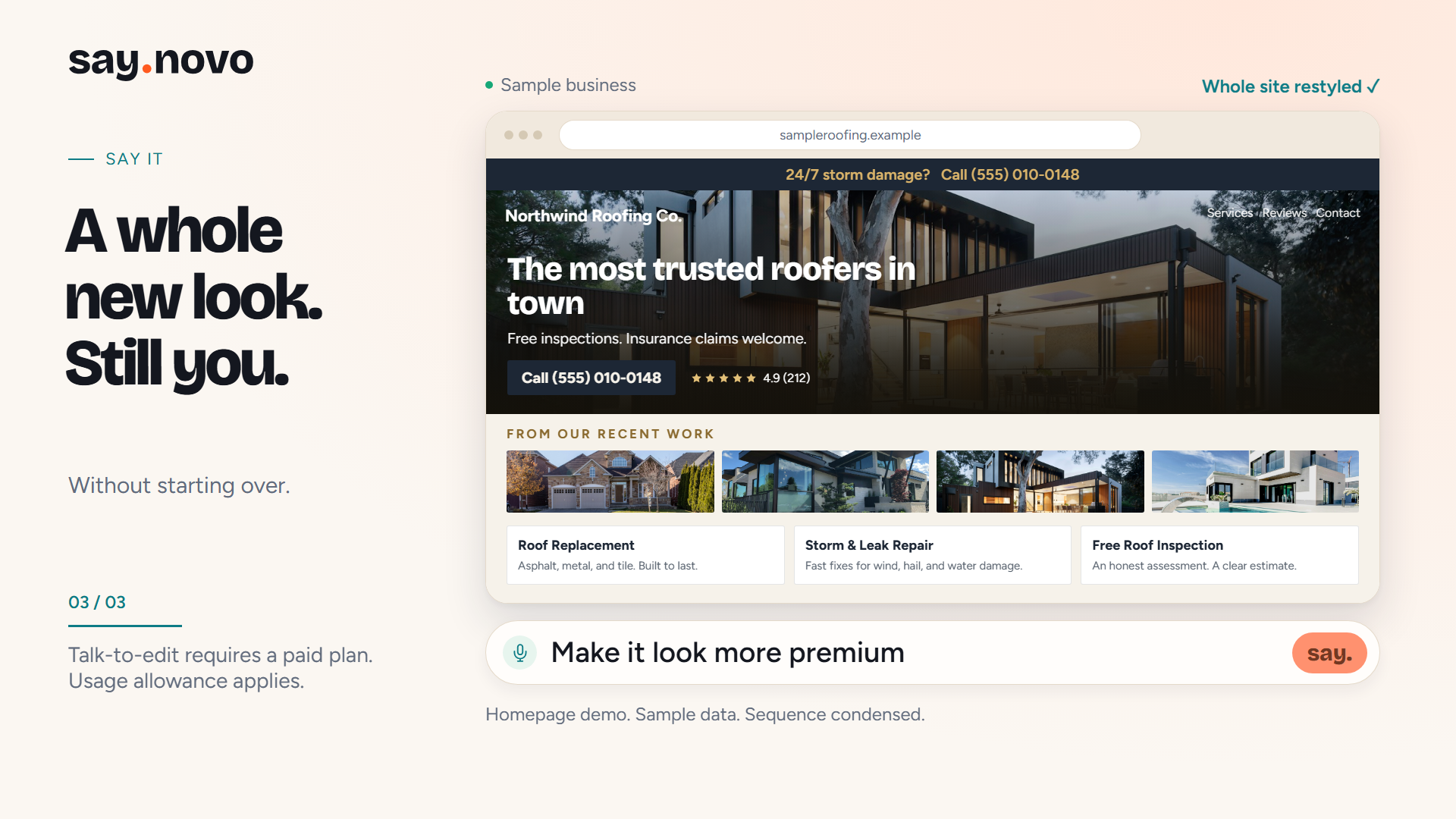
Historical V2 proof frame. Homepage demo, fictional sample business and condensed sequence. Any review figures visible inside this fixture are sample UI, not customer evidence.
The V3 briefs deliberately omitted fictional star counts, while the homepage-faithful V2 fixture retained the homepage’s sample UI. Keep these version-specific choices distinct when explaining the project.
8. Correct captions at their source
Another original request was:
saynovo.com is written in the captions as saynovo dot com make sure the captions are perfect.
Natural speech and editorial text are different. A voice can pronounce “dot com” while the written caption should display saynovo.com.
The repair updated the canonical caption data and regenerated captioned exports and SRTs. The revised short has seven cues; the hero has sixteen. Fixing that shared source prevents an error from returning the next time a layout is rendered.
For your own captions, check spelling, timing and one frame before and after every cue boundary. Replacing audio does not automatically make old subtitle timestamps correct.
9. Inspect the output at multiple levels
A successful render is not a successful review. Use contact sheets to identify suspicious moments, native-resolution frames to inspect them, and playback to evaluate timing and sound.
Keep those checks separate in the report. A contact sheet is not a claim that every frame was viewed individually full-screen. A successful video decode is not a human listening test.
The useful loop is: identify the defect, change the source, regenerate the affected output and verify the same moment again. Preserve the previous version so the improvement remains visible and recoverable.
10. Compose four layouts instead of cropping one file
Ad 09 was adapted into 1080x1080, 1080x1350, 1080x1920 and 1920x1080 outputs. Each is a native 20-second composition, not a crop of a finished landscape MP4.
The square and vertical versions need different arrangements for the product proof, captions, qualification and CTA. A square caption/footer collision was caught during review and corrected in the layout.
Use composition guides, but do not mistake them for a guarantee of the platform’s current interface clearance. Preview placements in the actual advertising account before publishing.
11. Hand off instructions, not just MP4s
The Ad 09 upload folder includes four videos, matching posters, captions and delivery/verification records. Its Meta FILLME.md contains copy choices and guidance for the uploader.
The public kit provides a sanitized template. Supply your own destination, approved offer, campaign naming and private account configuration. A prepared upload pack does not authorize an assistant to activate a campaign.
Start with one honest demonstration
Download the kit, complete the brief, preview the generic starter and replace its business facts. The default uses original code-native graphics and no audio. Add your own permitted media when the story needs it.
Your first pass does not need to be perfect. It needs to be inspectable. The most transferable skill from this project is knowing what to ask for, what to look at, and what to fix next.
Get the prompts and starter kit. A practical starting point, with the checks included.
Email me the free kit